Connect your DHL Express account to StoreFeeder to allocate services by rule, print DHL Express labels at the packing bench and send tracking back to every channel automatically.


We recommend letting your DHL account manager know you are connecting through StoreFeeder. The DHL Express setup guide covers each step, including what to do if you are an existing DHL XML user.
DHL Express is DHL's time-definite international express service, delivering to over 220 countries and territories. For eCommerce sellers it is typically used for fast international delivery, high-value orders and destinations where tracked, customs-cleared express delivery matters to the customer.
DHL Express is a separate service from DHL Parcel UK, which handles domestic UK parcels. StoreFeeder integrates with both, so you can use each for the orders it suits. See every StoreFeeder integration or book a demo.
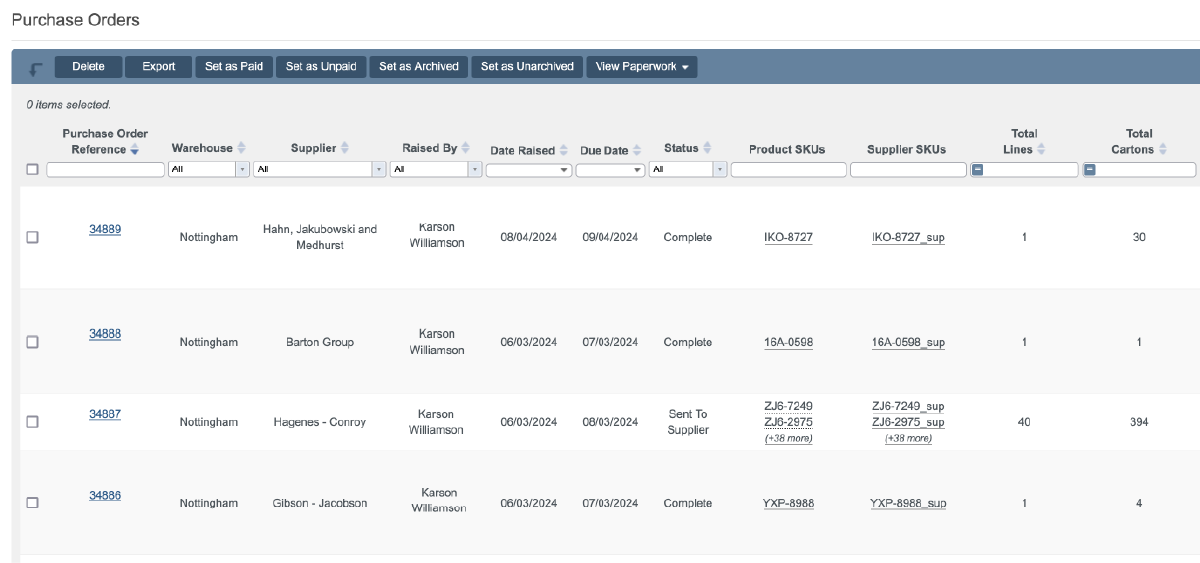
Stop choosing couriers order by order. Shipping rules do it for you.
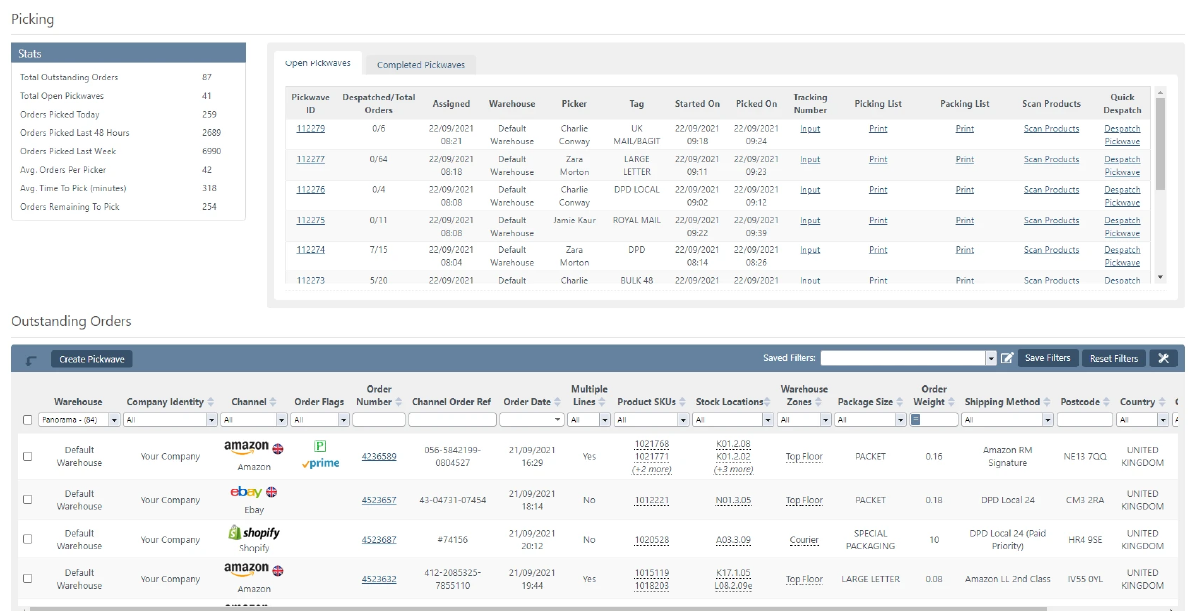
Your team works from one queue, whichever courier an order is going with.
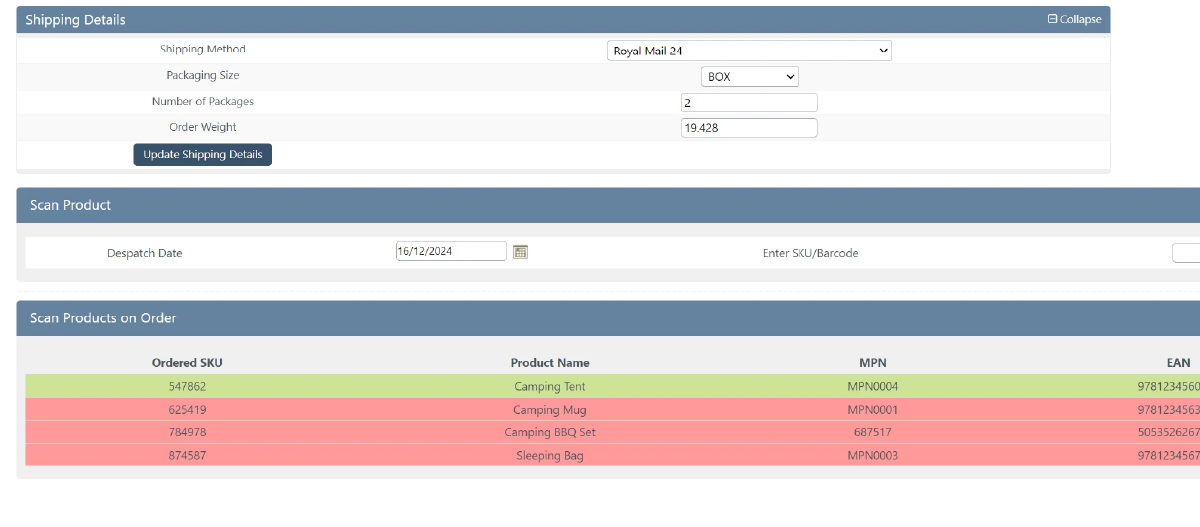
DHL Express labels are part of the normal despatch process, not a separate website.
Connecting needs your DHL account number, XML Services Site ID and Site Password. See the DHL Express setup guide.
Customers and marketplaces get tracking without anyone copying numbers.
DHL Express is separate from DHL Parcel UK for domestic parcels. StoreFeeder integrates with both.

Book a demo of StoreFeeder today and discover how we can revolutionise your warehouse operations with our tools.
Book a demo
Link your account with just a few clicks - no technical skills required.
Import orders and shipping details automatically, ready for label generation and tracking.
Automate label creation, manage despatch, and handle returns effortlessly, all from one centralised platform.
Link your account with just a few clicks - no technical skills required.
Import orders and shipping details automatically, ready for label generation and tracking.
Automate label creation, manage despatch, and handle returns effortlessly, all from one centralised platform.

Yes. DHL Express sits alongside Royal Mail, DPD, Evri and 20+ other couriers in one workflow. Shipping rules send orders to DHL Express by destination, weight, value, channel or service level, and DHL Express labels print during scan-validated packing, so your team follows the same despatch process whichever carrier is chosen.
Yes. StoreFeeder integrates with both. DHL Express is DHL's time-definite international express service, while DHL Parcel UK is a separate service for domestic UK parcels. Shipping rules let you use each for the orders it suits, for example by destination, weight or value.
Yes. You can store HS codes and country of manufacture against your products in StoreFeeder, so they are ready for international DHL Express shipments. Shipping rules can then keep express and international orders on DHL Express and send everything else to your other couriers.
You need a DHL Express account and DHL API access from the DHL developer portal. In StoreFeeder, go to Settings > Your Integrations, open the Integration Manager, add a DHL Express integration, enter your DHL account number, XML Services Site ID and Site Password, then save. Let your DHL account manager know too.
Yes. You can connect your DHL Express account to StoreFeeder, allocate DHL Express by shipping rule and print its labels from the same despatch screen as every other courier. Tracking numbers are pushed back to Amazon, eBay, Shopify and your other channels automatically.
Are you ready to take your eCommerce business to the next level?
Book a free demo with StoreFeeder now and see how we can help you grow your business.