







We now save tens of thousands of pounds annually by not making any mistakes. We can much more efficiently do stock counting and can more efficiently find and eliminate human errors and mistakes.


When goods in, picking and despatch are checked on the handheld, mistakes are caught where they happen, not at the packing bench or by the customer.
The StoreFeeder warehouse app is designed for the warehouse floor. Staff sign in and go straight to picking, transfers, goods in, validation, stock takes and despatch, while owners and managers also get a simple sales and warehouse overview.
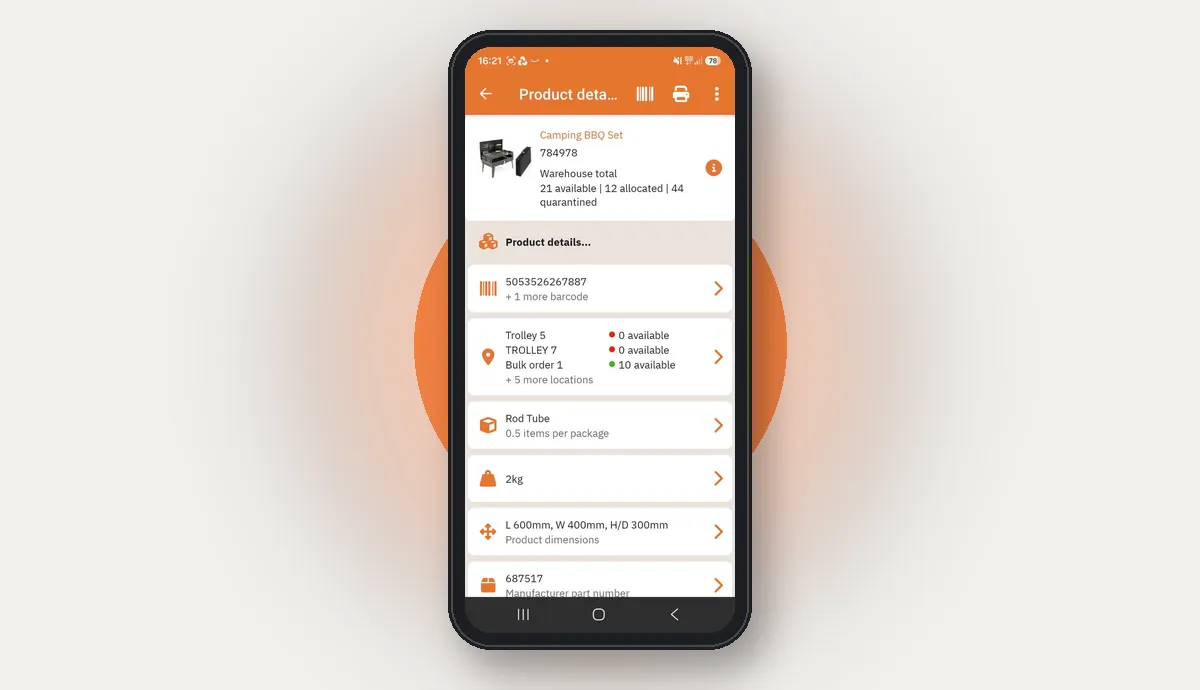
Scan a product or location to see its barcodes, stock positions, quantities, packaging details, dimensions and other core information. Your team can answer questions on the warehouse floor and act on them straight away.
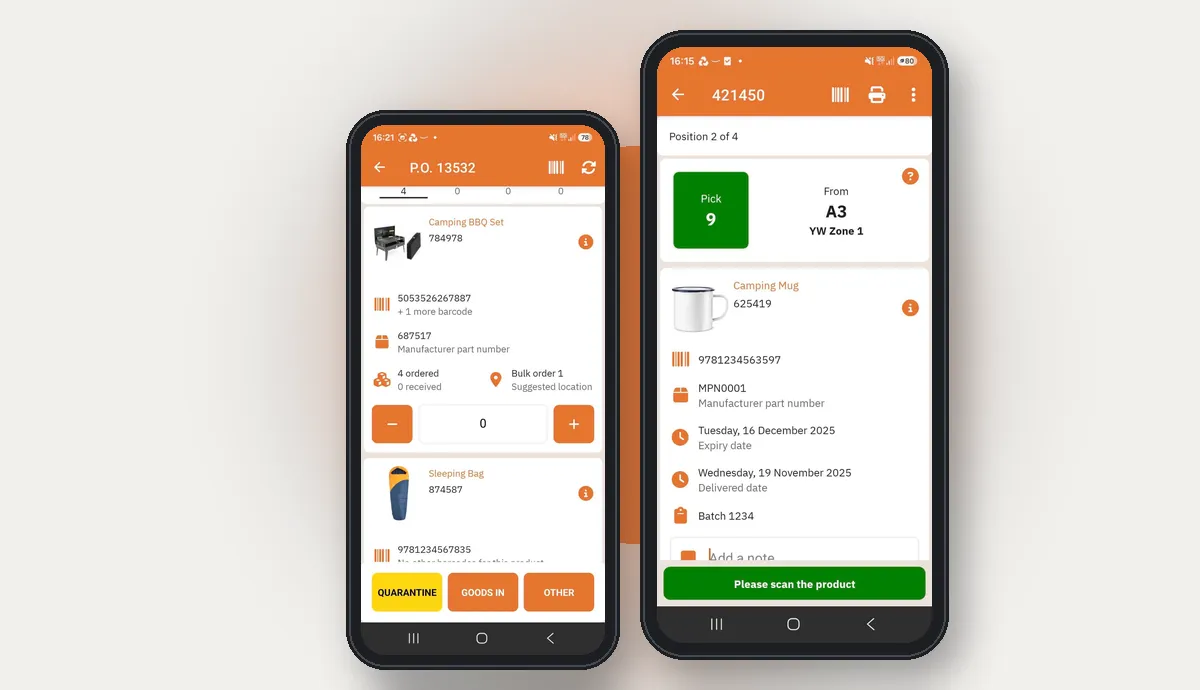
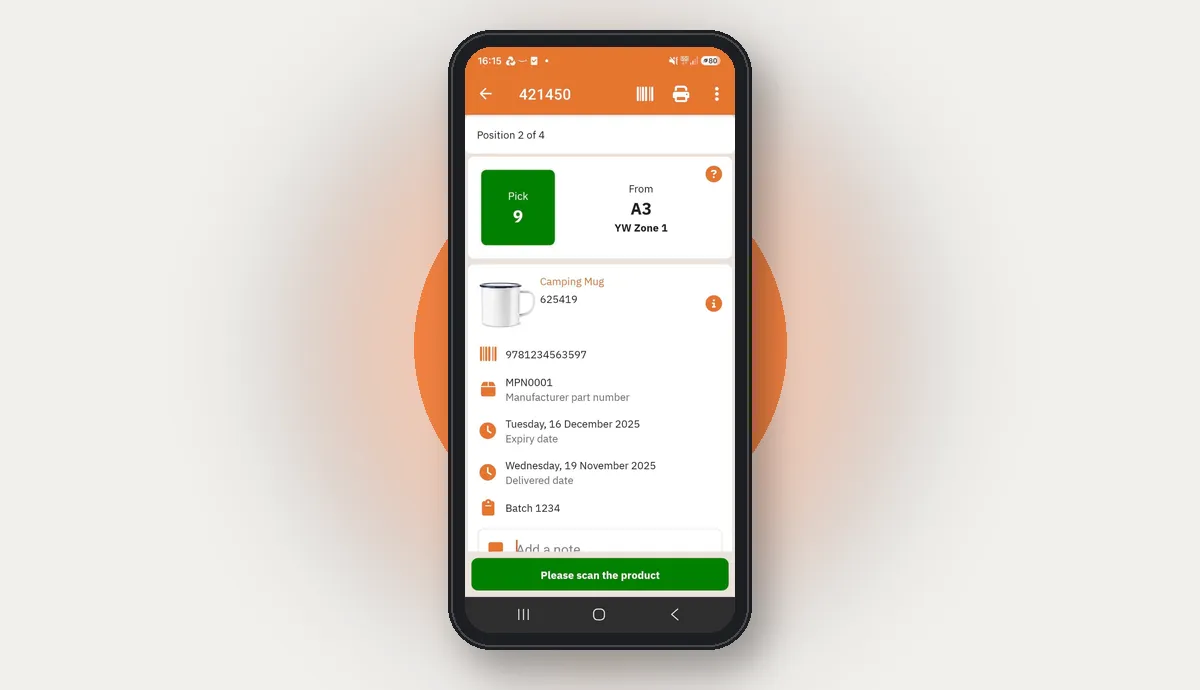
Pickers are guided around the warehouse on an efficient route, prompted to go to the right location and confirm the right item. Barcode validation checks that what is picked matches the order, so errors are caught before they reach the customer.
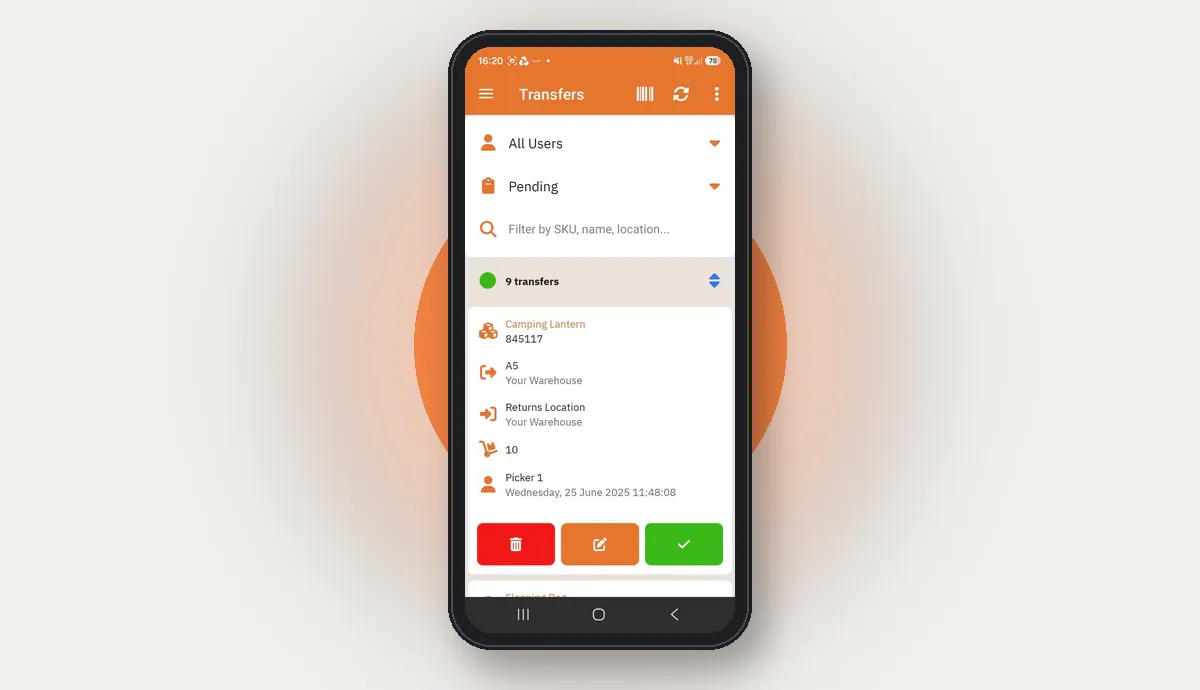
Create a stock transfer on the handheld there and then, or complete transfers that have already been prepared for your team. Every movement is recorded at the point it happens, so StoreFeeder and the shelves stay in step.
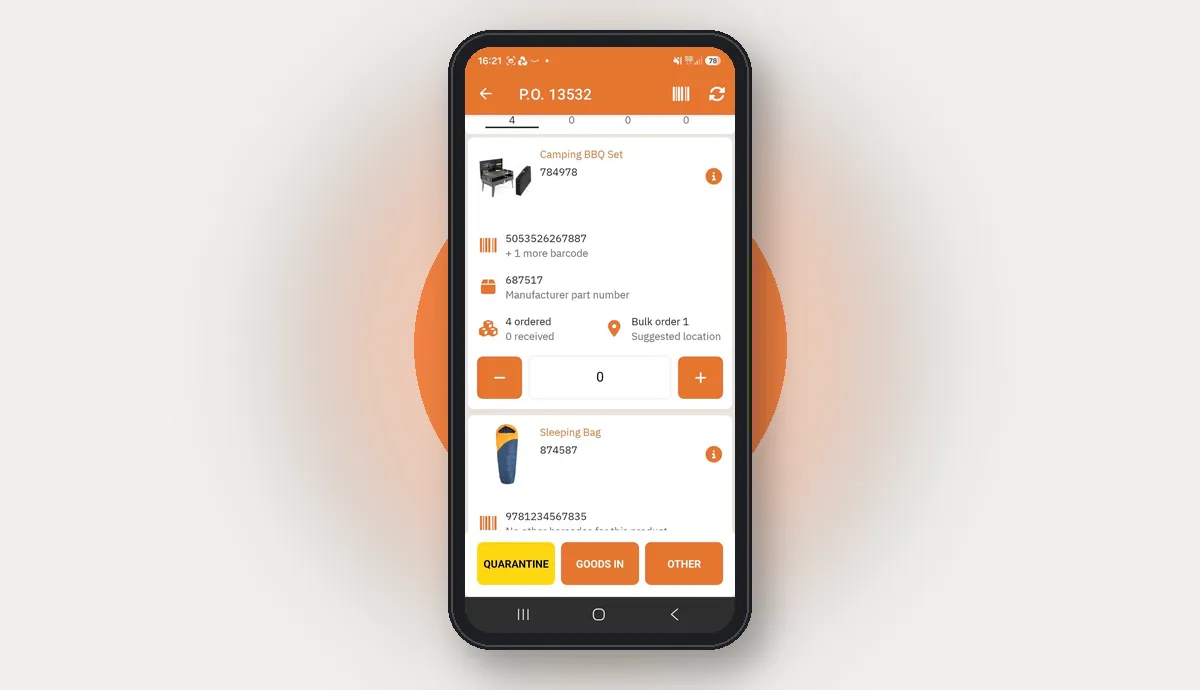
Book stock in on the handheld, confirm quantities and send goods to the right next step, whether that is goods in, quarantine or another location. Inbound stock is processed with less paperwork and more control.
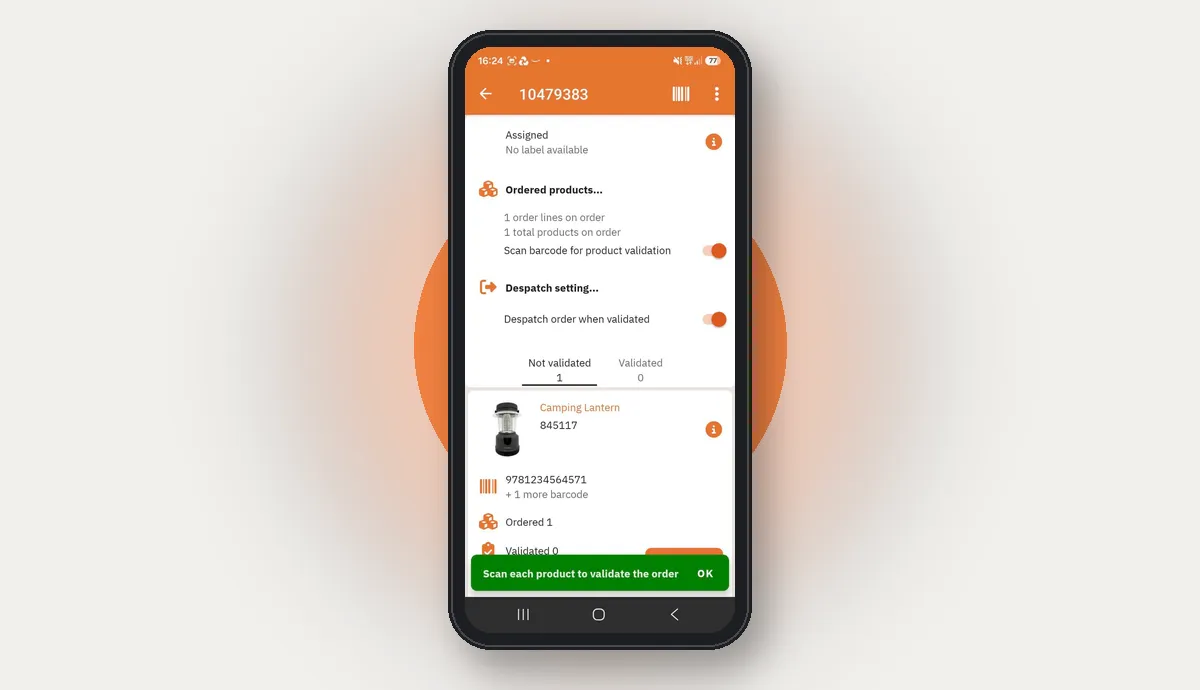
For single orders, scan each product against the order before it moves on. Staff get an extra barcode accuracy check without needing a fixed packing station for every task.
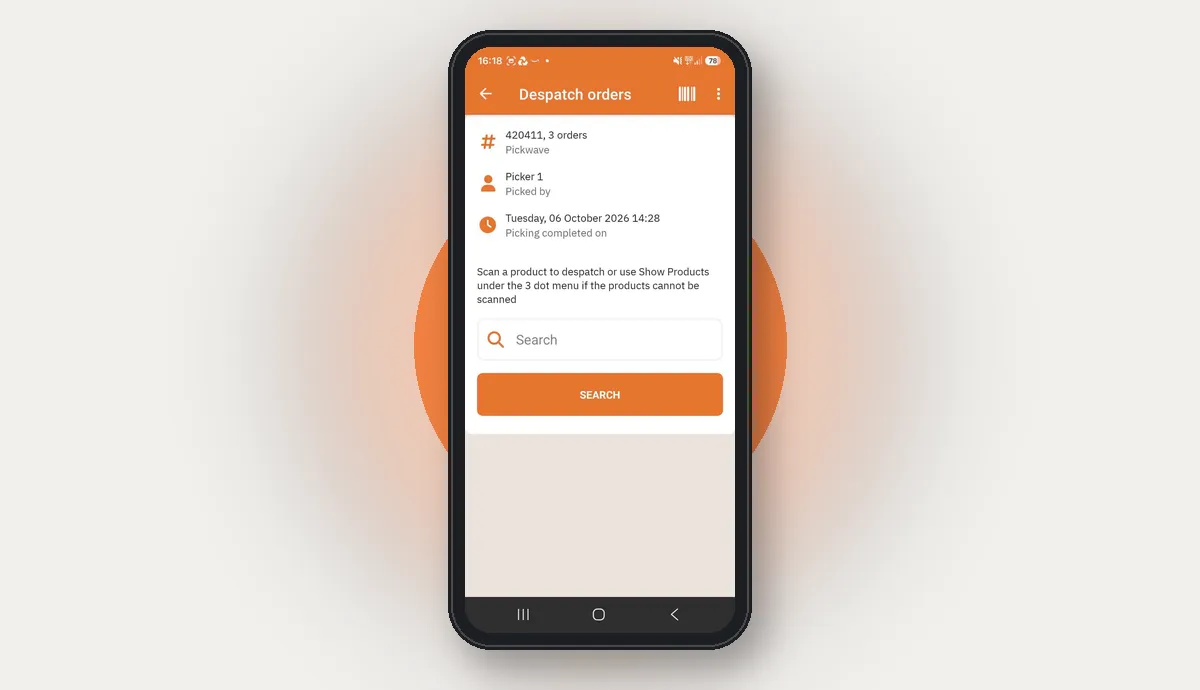
Run full scan despatch on the PDA. Connect a label printer, scan products to validate the shipment and complete despatch from the handheld, with no bench PC needed and another process taken off paper.
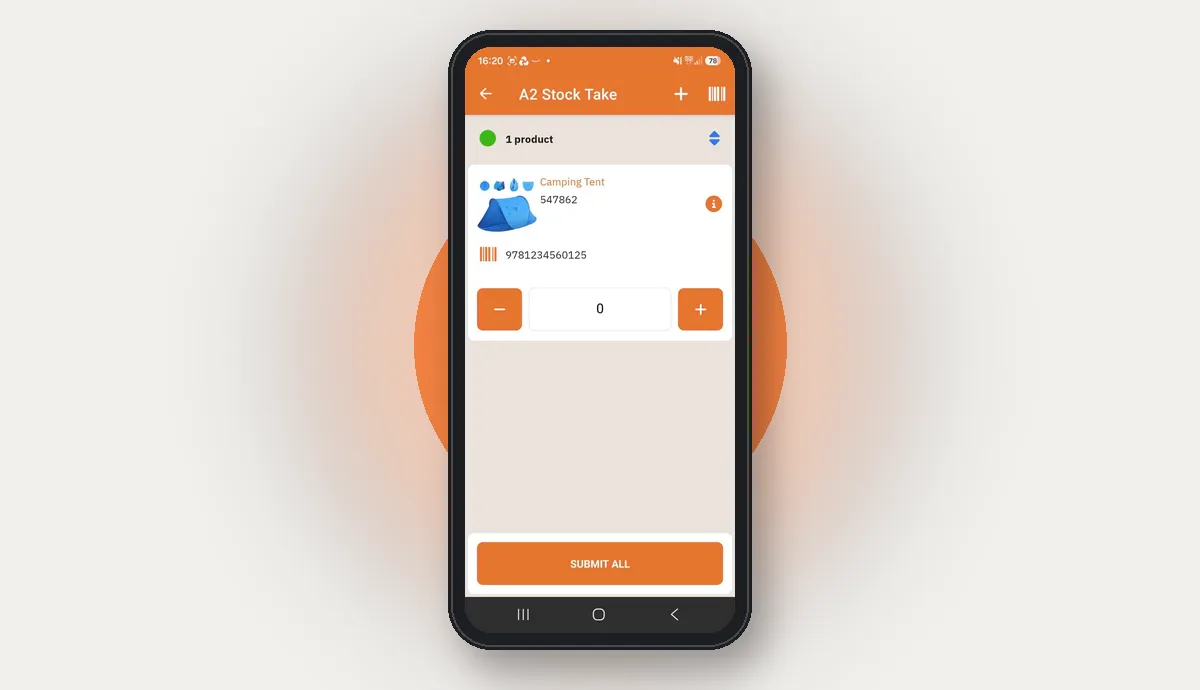
Because picking, transfers and other tasks are already recorded digitally, stock takes can be more flexible. The app supports 14 types of stock take, so you can count when you need to without routinely bringing the operation to a stop.
Not ready for a demo? See what StoreFeeder could save you
Moving picking, goods in and despatch onto a handheld takes paper lists and manual updates out of the warehouse. That improves speed and traceability, and cuts printing costs and admin time along the way.
Truly Sweet Candy went paperless with StoreFeeder and reached 99.99% picking accuracy. Read the Truly Sweet Candy story
No. The warehouse app is included in every StoreFeeder plan. Plans start from £350 a month ex VAT and are based on your annual turnover.
No. The app extends StoreFeeder onto the warehouse floor so tasks are done where the work happens. Orders, channels, stock and settings are still managed in the main StoreFeeder platform.
Yes. Alongside the warehouse workflows, the app includes a sales and warehouse overview for owners and managers.
The app supports 14 types of stock take. Which one you use depends on what you are counting and how your warehouse runs, so you can count stock when you need to without routinely stopping the whole operation.
Yes. Staff can create a transfer on the handheld there and then, or carry out transfers that have been prepared for them in advance.
Yes. Full scan despatch runs on the PDA: connect a compatible label printer, scan each product to validate the order, then print the label and despatch from the handheld.
Rugged Android PDAs with a built-in barcode scanner are the best fit for busy warehouse work. The app also runs on Android and iOS phones, so you can use devices you already have. PDAs themselves only come in Android, so if you want a dedicated handheld scanner it will be an Android one.