



































Welcome to the latest Release Updates post.
The sun has already reared its head a few times at the start of this month, a good sign of things to come. Similarly, this update sees the release of a new beta page for StoreFeeder version 3, which is certainly a sign of fantastic thing to come! Not only that but February was jam packed full of excellent releases, of which I must appluad our development team, given that it's the shortest month.
As per usual, our developers have been working hard to bring you an exciting update this month. There has been a lot of work in the background (which you can read about here) but there have been some great updates and new features released this past month, the highlights of which are below:
V3 Manifest Page Beta

As we march closer and closer towards the release of StoreFeeder version 3, we are treated to some more early access in the form of the new Manifest page, just take a look at it below:
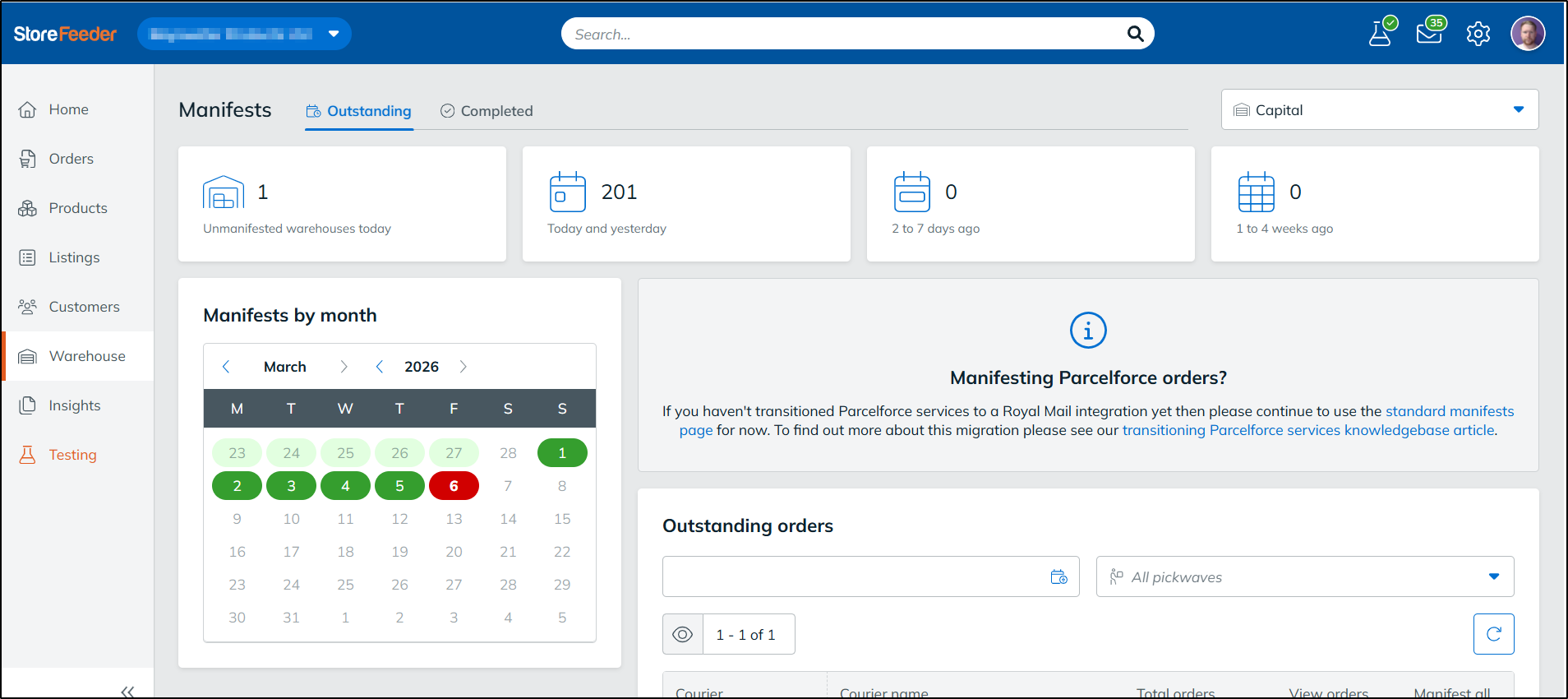
Doesn't it just look incredible? With the new version of the Manifest page, it's so easy to see if anything has been missed so there's no chance of inccurring any possible charges from your couriers. The panels at the top of the page give a snapshot of any orders left to manifested within the time frames specified and clicking them will filter the outstanding orders grid (seen at the bottom of the image) so that you are easily able to get everything manifested in one fell swoop. If that wasn't enough, the calendar on the left hand side of the image above shows you day by day if every order has been successfully manifested (green) or if there are still outstanding orders (red), and yes, clicking on each day does also work as a way of filtering the outstanding orders grid as well.
Now take a look at the completed section of the page:
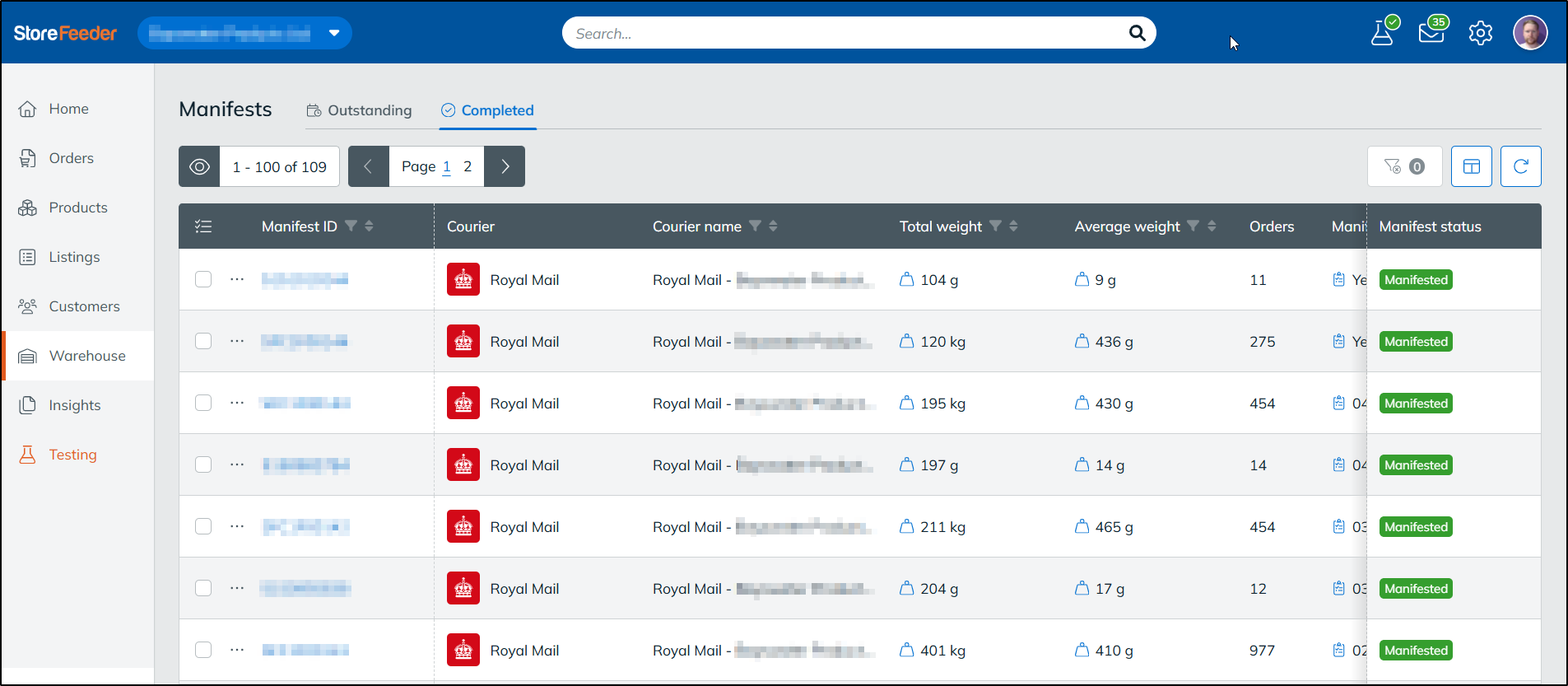
Now, I personally love this page, it gives a fantastic overview of all your recent manifests as well as key information such as average and total weight. You can't ask for much more than that on a manifest page!
And the great news is, is that this page is available for all our StoreFeeder users to try out right now! Simply go to the manifest page in StoreFeeder and switch the toggle at the top of the page on as shown below:

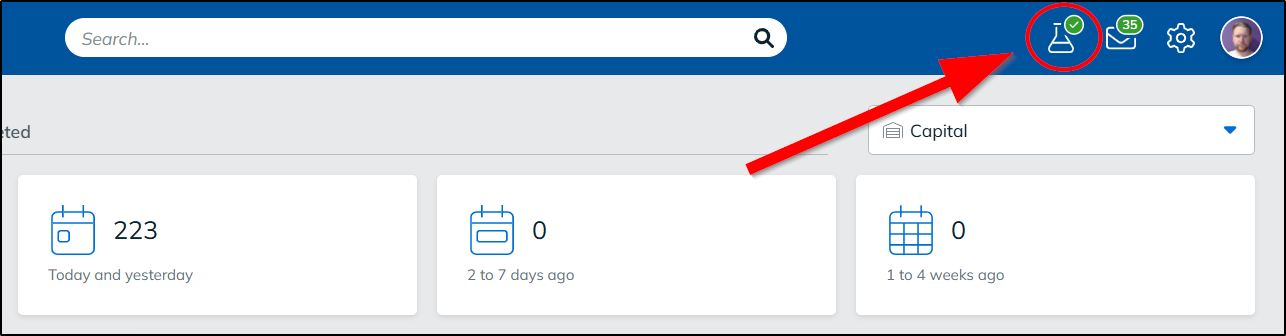
Of course, this page is still in its beta stages and is certainly subject to change upon StoreFeeder version 3's full release. We welcome and take on board all feedback from our users regarding all the pages we have made available for V3, if you have any useful suggestion or feedback for us then please send it over by clicking on the conical flask in the top right of V3:
Max Pickwave Weight
A heavily requested feature in StoreFeeder, one I'm very happy to see released. As part of creating a pickwave in StoreFeeder, you can now set a max pickwave weight as you can see below:
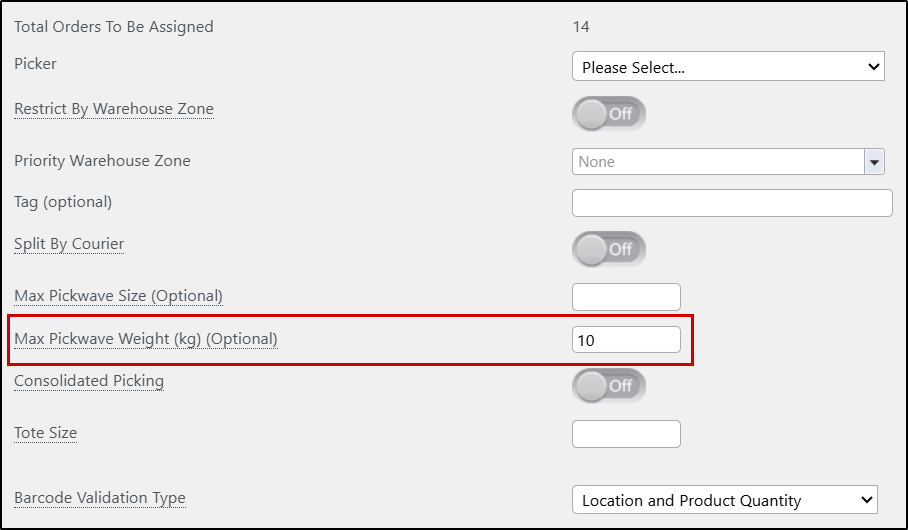
As you are probably aware, a lot of clients have agreements with couriers based on weight limits, so this is an incredibly positive improvement to our pickwave generation tool.
If you select multiple orders that go over the weight specified in new field, StoreFeeder will simply create multiple pickwaves that all have a limit of the weight you've given it.
Pay Later
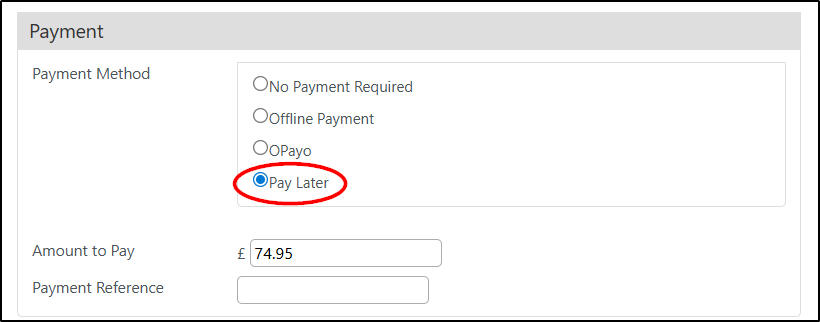
When processing a phone order in StoreFeeder, if the order hasn't been paid for via a payment gateway integration, it's always been the case that you'll be asked for how the order has been paid for and given two options:
- No Payment Required
- Offline Payment
Problem is that both of these options but a transaction against the order and set it to "Complete (ready to pick)" status if stock was available. But what if the customer had not paid yet, perhaps put in an order to pay and collect at a later date, well there was not really an option to handle this; putting the order down as a draft didn't allocate stock so that wasn't an option either.
To remedy this issue, we've added a new option to the list of payment information for the order and that is "Pay later". By selecting this option, the order will be put into a status of "Awaiting Payment" where stock will still be allocated to it but it can't be added to a pickwave so there's no chance of it accidentally being fulfilled before it's been paid for.
DPD Local Delivery Instructions

For our DPD Local users this update will come as a nice surprise! We've added support for delivery instructions. To make use of this feature you will first need to switch the "Send Special Instructions" setting on, on your DPD Local shipping methods, which can be found towards the bottom of the list of settings when editing the shipping method as shown below:
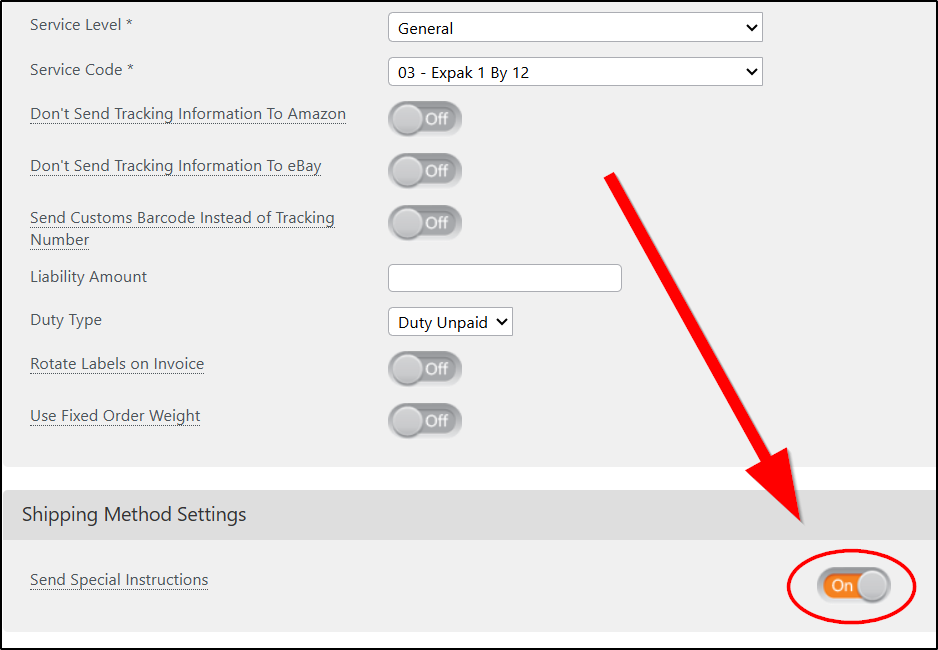
By doing this, we will send the information stored in the special instructions field on your orders as delivery instructions when despatching via the shipping methods you've switched the toggle on for.
Hopefully this is a lot quicker than having to set it directly through DPD and saves you all some time!
Finally….
There have been some great new features and fixes implemented in this last month's releases and we hope you find them useful in one way or another.
As always we’ll keep working hard to provide you with the best service we can.
From all of us here at StoreFeeder, happy selling.
The StoreFeeder Team


