


































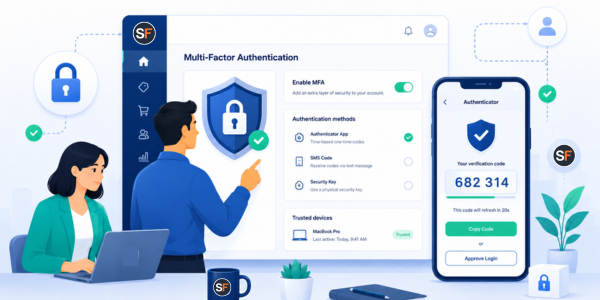
IMPORTANT: Multi-Factor Authentication (MFA) is being activated for all StoreFeeder accounts
October 2, 2026
Before 12th October, please make sure everyone who uses StoreFeeder has their own user login and access to an authenticator app. If your team shares a login, you should create individual users now to avoid people being locked out.
Your StoreFeeder account holds your orders, stock levels, customer details and the connections to your sales channels, so keeping it secure matters.
To better protect you, we're switching on Multi-Factor Authentication (MFA) by default for all StoreFeeder users.
What's changing
Once MFA is on for your account, logging in to StoreFeeder will need two steps: your usual username and password, then a one-time code from an authenticator app. This means that if someone gets hold of a password, they still can't get into your StoreFeeder account without that code.
How the rollout will work
We'll turn MFA on across StoreFeeder accounts in stages, starting Monday 12th October and finishing by Saturday 31st October 2026. This message is your notice, we won't contact you again before your account is switched over.
The first time you log in after MFA is on, StoreFeeder will ask you to set it up. It only takes a minute or two.
What to do now so you're read
- Ensure access to an Authenticator App. StoreFeeder works with apps like Google Authenticator, Microsoft Authenticator and Authy.
- Check your user logins. Every person who logs in to StoreFeeder should have their own user login. If your team shares one login (for example, across a warehouse or office).
- MFA codes will be tied to one person's authenticator app and others may get locked out. Set up individual user logins for your team before Monday 12th October.
- Tell your team that the extra login step is coming, so nobody is caught out when they next log in.
Want to get ahead? You don't have to wait. You can switch on MFA yourself today by following our Security guides.
Can MFA be turned off for a user?
Yes, but only if your StoreFeeder account has IP Address Restrictions switched on.
With IP Address Restrictions, users can only log in from the IP addresses you've approved, such as your office or warehouse, so your account stays protected without MFA.
If IP Address Restrictions aren't set up on your account, MFA can't be turned off for any user.
Need help?
Our Security guides will help and explain how to set up MFA and IP Address Restrictions in a step by step manner.
If you have any other questions, our Support team is happy to help through the StoreFeeder Support portal.
Thank you for helping us keep your StoreFeeder account secure.


