



































The warehouse management system for UK eCommerce businesses
Book stock in, pick, pack and despatch from one system that already connects to your marketplaces, webshop and couriers. Built for UK brands and retailers running their own warehouse and shipping 30+ orders a day, from £350 a month with free implementation.
Eliminate paper picking
Manage orders, shipping, and inventory in one place
Train new staff in 5 minutes
Improve picking accuracy to 99.95%
Capable of despatch rates of 10,000+ orders a day

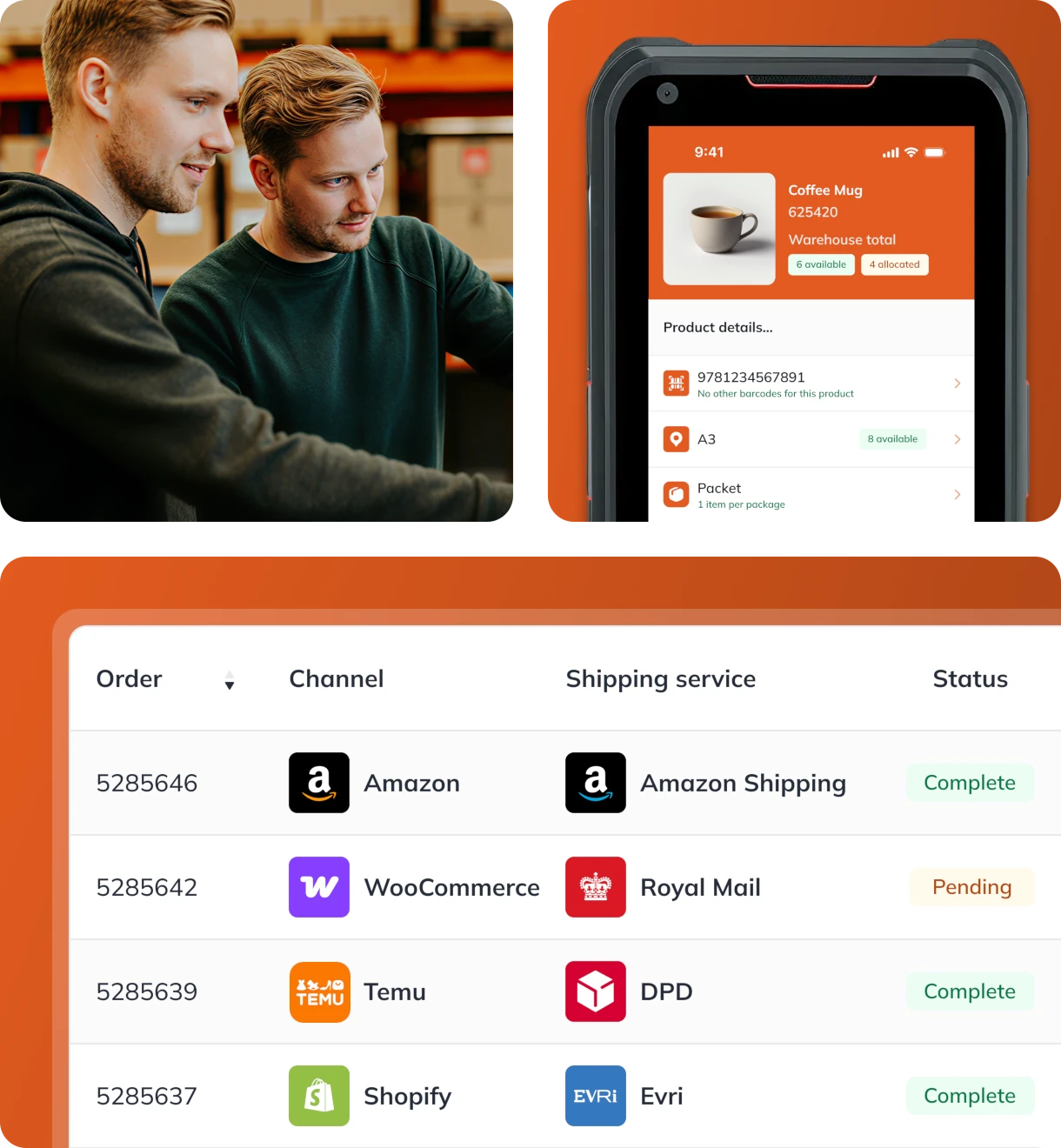
Trusted by eCommerce retailers and fulfilment providers who:
Boost efficiency by up to
30%
in the warehouse
Simplify booking and save
£20K+
per year
Improve accuracy by up to
90%
with barcode pick & pack
Go paperless and save up to
£40K
per year








.svg)
What we'd usually complete by close of business on Wednesday, we're now completing by Monday afternoon. This isn't just improvement; it's a complete overhaul in efficiency & productivity.
Charlie Managing Director, Ransom Spares

Paper pick lists, spreadsheets, and disconnected systems are holding your warehouse back

Paper pick lists, spreadsheets, and disconnected systems slow your operations
Paper pick lists, spreadsheets, and disconnected systems increase the risk of errors.

Knowledge gaps create inconsistency
Too much depends on knowledge in people’s heads and manual processes and workarounds that don’t scale.

Mistakes damage customer trust
Wrong or late orders lead to complaints, returns, and lost revenue.
Run your warehouse faster, smarter, and paper-free with StoreFeeder
All-in-one warehouse management
Control everything from one place
Bring orders, stock, and couriers into one platform, so you’re not bouncing between tabs or tools. StoreFeeder gives you full visibility and control from a single platform.
See orders, stock, and couriers in one platform
Connect 100+ sales channels, couriers, and tools
Eliminate juggling between systems
Paperless barcode picking
Pick faster with fewer mistakes
Replace paper pick lists with barcode-driven workflows in the StoreFeeder App. Full traceability and validation ensure accuracy at every step.
Use barcode scanning to guide picking and packing and ensure product validation at each step
Timestamp every action for audit-ready traceability
Optimise picking with intelligent routing and live stock tracking
Options for trolley and tote picking
Rapid team onboarding
Get new staff productive in minutes
Get new staff productive in minutes, not days. With a simple app interface and intelligent routing, there’s no long training curve.
Set up user-friendly roles and permissions
Train new team members in under 5 minutes
Reduce human error with no product knowledge required
Smart despatch and courier management
Despatch orders
faster with fewer clicks
Speed up despatch and cut shipping errors with automated courier rules, label generation, and one-scan workflows.
Auto-assign the best courier by rules
Generate labels and despatch in one scan
Option to save time with bulk despatch
Warehouse visibility
Always know
what’s happening
Track every movement, from booking in to despatch, with live updates across your warehouse. Know what’s happening, and where, at all times.
Track pick, pack, and despatches
Monitor inventory levels
Respond quickly to delays or bottlenecks
Warehouse operations
Advanced WMS features build for scale
Handle complex stock movements with multi-warehouse control, quarantined locations, and fully tracked transfers.
Manage multi-warehousing
Ring-fence stock in quarantined areas
Create and track stock transfers between sites
Everything you need to
simplify warehouse operations
simplify warehouse operations
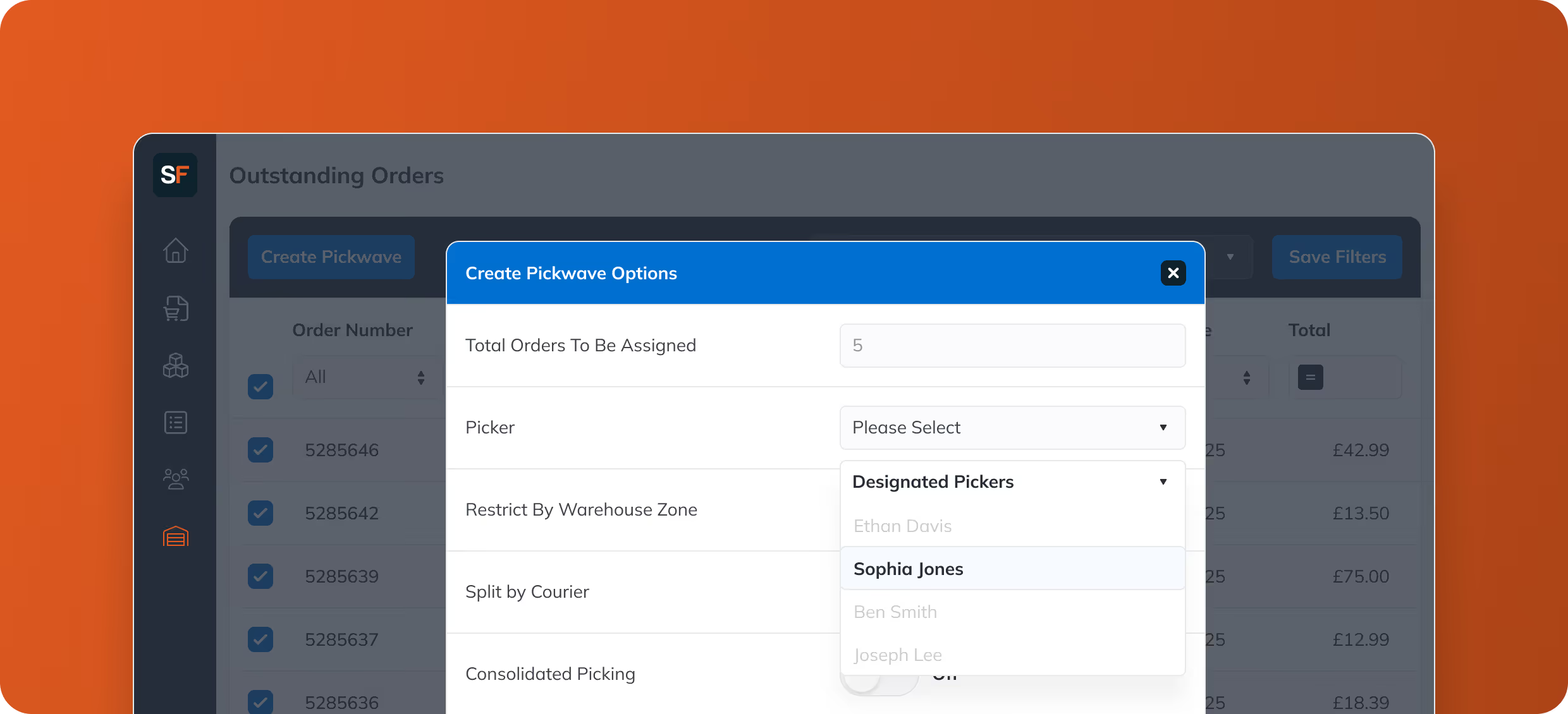

Reduce errors with 99.95% picking accuracy

Get new staff up and running in 5 minutes.

Say goodbye to paper and manual despatch.

Handle 10 to 10,000+ orders a day without breaking a sweat.

Cut order processing time by 30%.

Track who picked, packed, or moved stock with full history and timestamps for traceability.
What you can do with StoreFeeder

Barcode
Inventory System
Inventory System

Inventory
Management
Management

Paperless
Warehouse Solution
Warehouse Solution

Picking and
Packing Software
Packing Software
Frequently asked questions
Do I need extra hardware to scan and pick?
No. StoreFeeder's picking app runs on most Android handhelds and PDAs with a built-in barcode scanner, so you can usually keep the devices you already own. You will need a label printer at each packing bench and barcodes on products and locations; if your products are not barcoded yet, StoreFeeder can generate and print them.
Can I connect all my sales channels and couriers?
Yes. StoreFeeder connects to 100+ marketplaces, webstores, couriers and accounting tools, including Amazon, eBay, Shopify, TikTok Shop, WooCommerce, Royal Mail, DPD, DHL, Evri, Xero and QuickBooks. Orders from every channel land in one queue, stock is synced back to all of them in real time, and tracking is pushed to the channel the order came from.
Is there support if something goes wrong?
Yes. Support is UK-based and reachable by phone, email and the in-app ticketing system, and the same team handles onboarding, so the people who set you up are the people who answer. StoreFeeder is part of Royal Mail Group and runs the warehouses of 400+ UK eCommerce businesses.
Can I customise roles and user permissions?
Yes. User roles control which parts of the system each person can see and change, so pickers see the handheld workflow, packers see despatch, and only managers can adjust stock, pricing or settings. Every stock movement and user action is logged, which makes stock discrepancies easy to trace.
Does it help with returns management?
Yes. Returns are booked in against the original order, so you can see what came back, decide whether to restock, exchange or write it off, and refund the customer from the same screen. Return labels can be generated through your courier integrations, including Royal Mail Tracked Returns.
Is StoreFeeder suitable for large teams?
Yes. There is no cap on users and no per-user fee, so adding pickers, packers or seasonal staff does not add cost. StoreFeeder supports multiple locations in one account, with zone picking for larger sites, and multiple warehouses with stock transfers between them through the Advanced Operations Pro add-on. Customers range from single-site operations to businesses despatching several thousand orders a day.
What’s the ROI I can expect?
It depends on where you start, but the gains come from three places: picking speed (customers report 30%+ faster processing from optimised routes and grouped picking), accuracy (barcode validation takes most warehouses to 99.9%+ and removes the cost of returns and replacements), and admin (automated courier allocation, labels and tracking remove manual steps at the bench). Most customers see the difference within the first few weeks.
Can StoreFeeder integrate with my existing system?
Yes. StoreFeeder has a REST API and connects to accounting systems such as Xero and QuickBooks, and to Power BI for reporting. If you are moving from another WMS or order management system, products, stock, listings, courier accounts and open orders can be imported, and the onboarding team will map your data and run the two systems side by side until you are ready to switch.


Time to move beyond spreadsheets
Book your free 30-minute demo to see:
.svg)
Your workflow recreated in StoreFeeder
Transparent pricing for your business size
Implementation timeline and process
Answers to your specific questions
Option of monthly or annual contract.
Thank you! Your submission has been received!
Oops! Something went wrong while submitting the form.


ROI CALCULATOR
Calculate your savings with StoreFeeder
Find out how much time and money you'd save by switching your warehouse operations to StoreFeeder using our ROI calculator.