


































Welcome to the latest Release Updates post.
As per usual, our developers have been working hard to bring you an exciting update this month. There has been a lot of work in the background (which you can read about here) but there have been some great updates and new features released this past month, the highlights of which are below:
Temu Integration

A heavily requested new integration to add to StoreFeeder's already strong showing, we now integration with popular online marketplace Temu! Temu is a great marketplace to expand out to; because of its reputation for having highly competitive pricing, it attracts a large customer base looking for the best deals out there, making it an ideal marketplace for the savvy shoppers out there.
You can find our new Temu integration under "Marketplace" when creating a new integration in StoreFeeder:
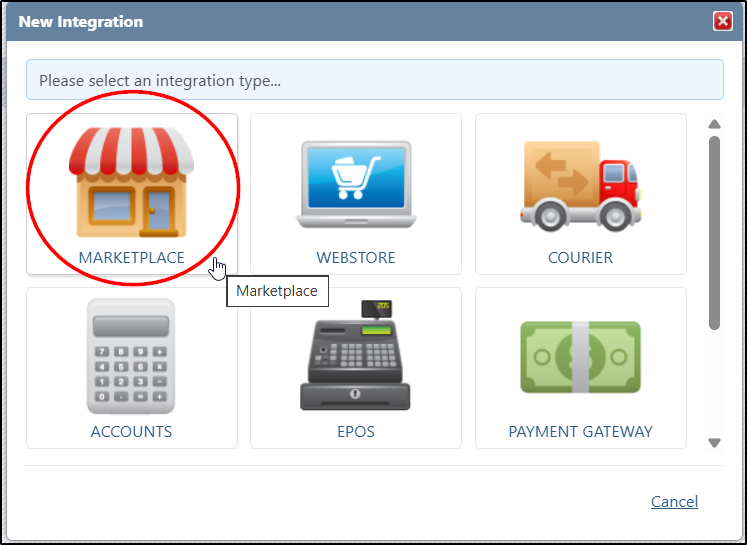
Once the integration has been created, the only thing you need is an access token from your Temu account in order to establish the connection.
So how do you get an access token? Well, simply log in to your Temu Seller Center account, navigate to the Apps and Services section, go to the App Store, find the StoreFeeder, and click the Authorize button to generate the token. Once you've got the token, come back to StoreFeeder and pop it in the access token field; set the integration to active and set save, you're good to go.
You can find our extended guide on connecting your Temu account here.
Shopify Order Tags

Another popular request from our users here, importing Shopify tags against orders. A lot of Shopify users utilising the tagging system as a way to bring attention to different orders that require certain care when picking and packing.
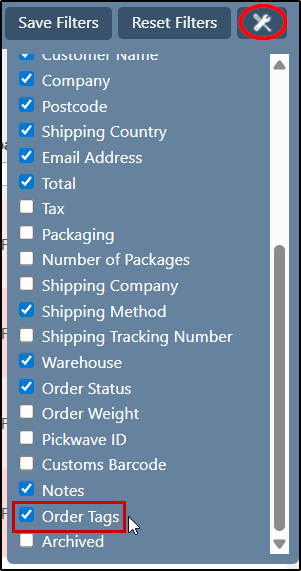
So what we've done is import all the tags against each Shopify order and you'll now be able to filter by those tags on both the manage orders grid and picking page! If you want to add the filter to either of those grids, simply click the tools icon in the top right of the grid and select "Order Tags" from the list.
Channel Disconnect Alert

A real quick change to our channel disconnection alerts that will help make sure they don't go missed! We've made it so that, should a integration disconnect, an urgent message will be sent to all admins on your StoreFeeder account; this means they will receive a pop up on StoreFeeder that will alert them to the issue and ask them to reconnect the channel.
This comes as a result of listening to you, our clients, and your feedback. So a reminder, if there is any suggestions you might have that will help make StoreFeeder even better, make sure to let us know on our Uservoice page.
Finally….
There have been some great new features and fixes implemented in this last month's releases and we hope you find them useful in one way or another.
As always we’ll keep working hard to provide you with the best service we can.
From all of us here at StoreFeeder, happy selling.
The StoreFeeder Team


